 03 / POOYA LABS
Pooya.OS
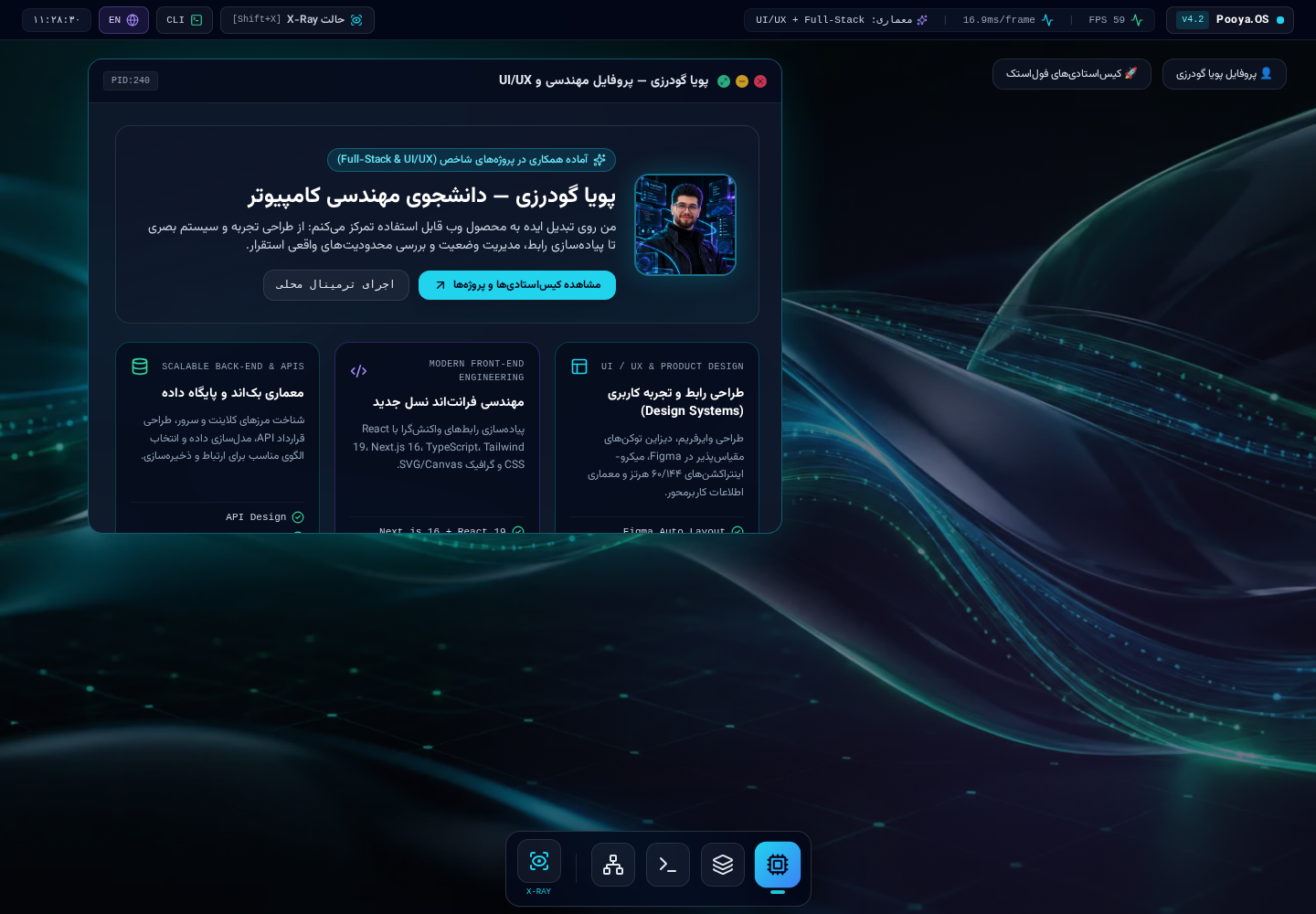
Public demoA portfolio presented as an interactive desktop workspace, with project case studies, a local command sandbox, a design-token inspector, and a window manager. Commands run in the browser and do not access the operating system.
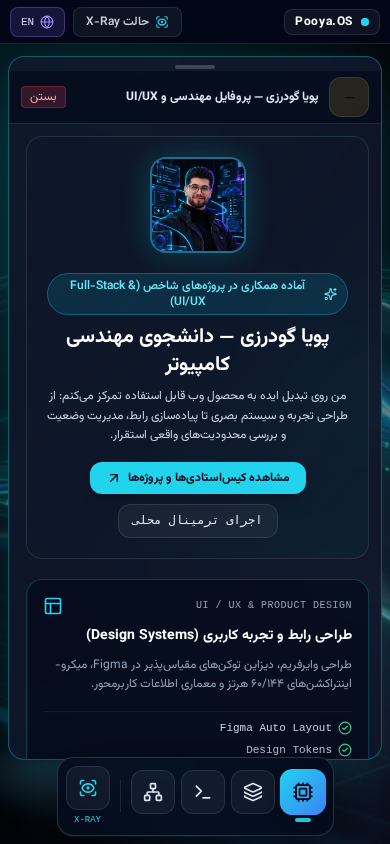
A conventional engineering portfolio can become little more than a list of links. Pooya.OS presents skills and projects through an explorable desktop-style interface.
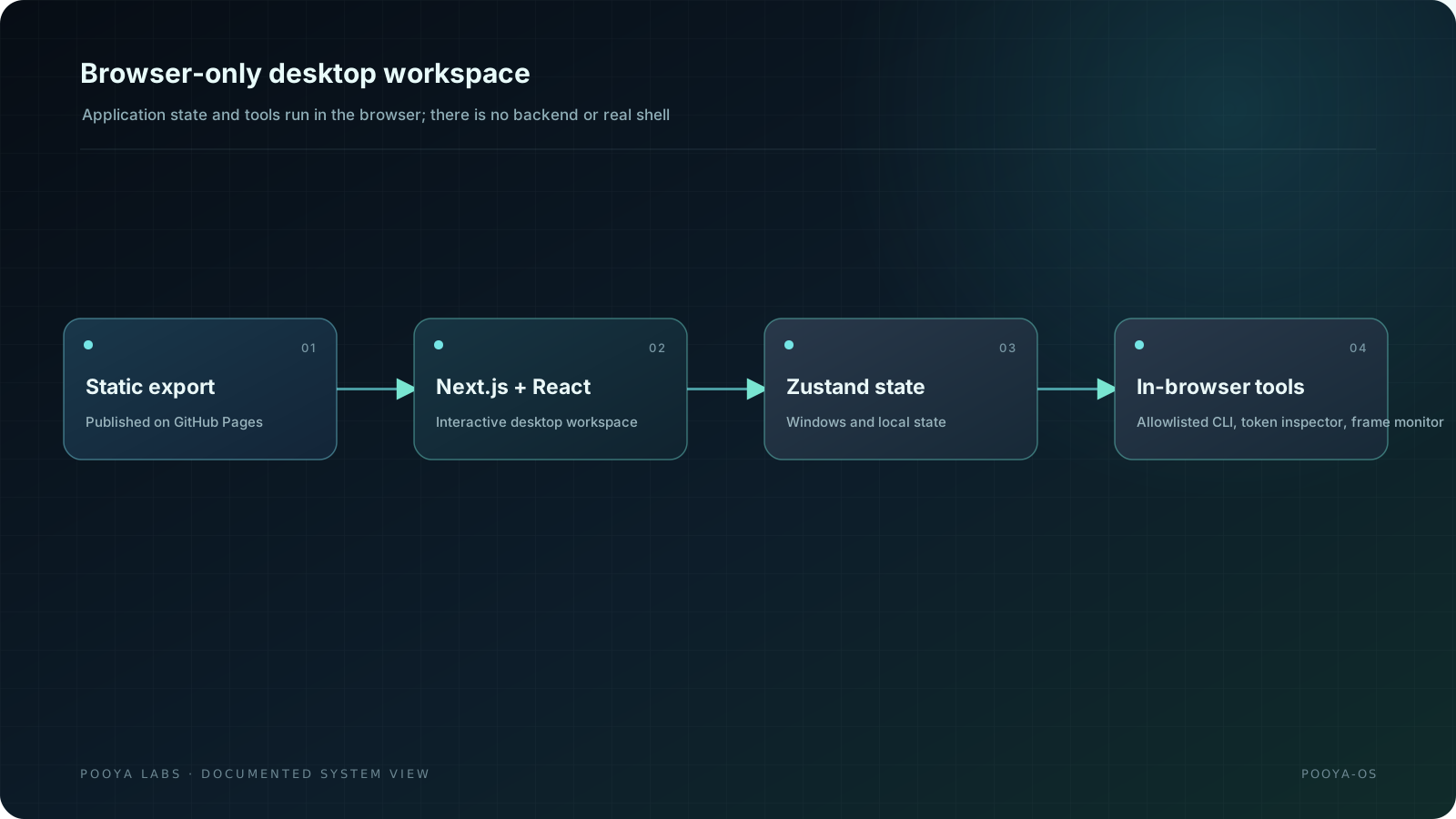
A static export built with Next.js, React, and TypeScript combines window management, a local command sandbox, a design-token inspector, and project case studies.
The README identifies Pooya as the author/creator.
A static export built with Next.js 16, React 19, and TypeScript; Zustand manages state, Tailwind CSS styling, and Framer Motion transitions. Everything runs in the browser.
- 01Responsive desktop workspace and window manager.
- 02Four project case studies with problem, approach, and source/demo links.
- 03Local help/whoami/stack/projects/status/xray/hire CLI with no shell execution.
- 04Design-token inspector and X-Ray labels.
- 05requestAnimationFrame frame monitor for this tab only.
- 01There is no backend, database, account system, API route, or real shell.
- 02Local state and FPS must not be presented as server telemetry.
- 03It is an interactive portfolio experience, not a replacement for the main Pooya Labs site.
- 01Pages deployment for commit 1d408c0 succeeded on November 1, 2026.
- 02The README does not provide a consolidated recent browser/accessibility/performance test report.
- 01Responsive desktop environment with window management
- 02Local allowlisted CLI with no shell access
- 03Design-token and runtime-boundary inspection
- 04Four project case studies with source and demo links
- 05Browser-side requestAnimationFrame frame monitor
This is a static portfolio: it has no backend, database, account system, API route, or real shell. Local state and commands must not be mistaken for server-side capabilities.